Integrate with Cherry Studio
Cherry Studio is a desktop AI client that aggregates multiple models in one chat interface.
- Website: https://www.cherry-ai.com
- GitHub: https://github.com/CherryHQ/cherry-studio
I. Prerequisites
Obtain your API Key from the LongCat Platform, and confirm on the Usage page that your account has sufficient token quota.
The LongCat API platform currently provides the following models:
| Model Name | API Format | Description |
|---|---|---|
| LongCat-2.5-Preview | OpenAI/Anthropic | High-performance agentic model |
| LongCat-2.0 | OpenAI/Anthropic | High-performance agentic model |
II. Configure the LongCat API
- Find provider
LongCat
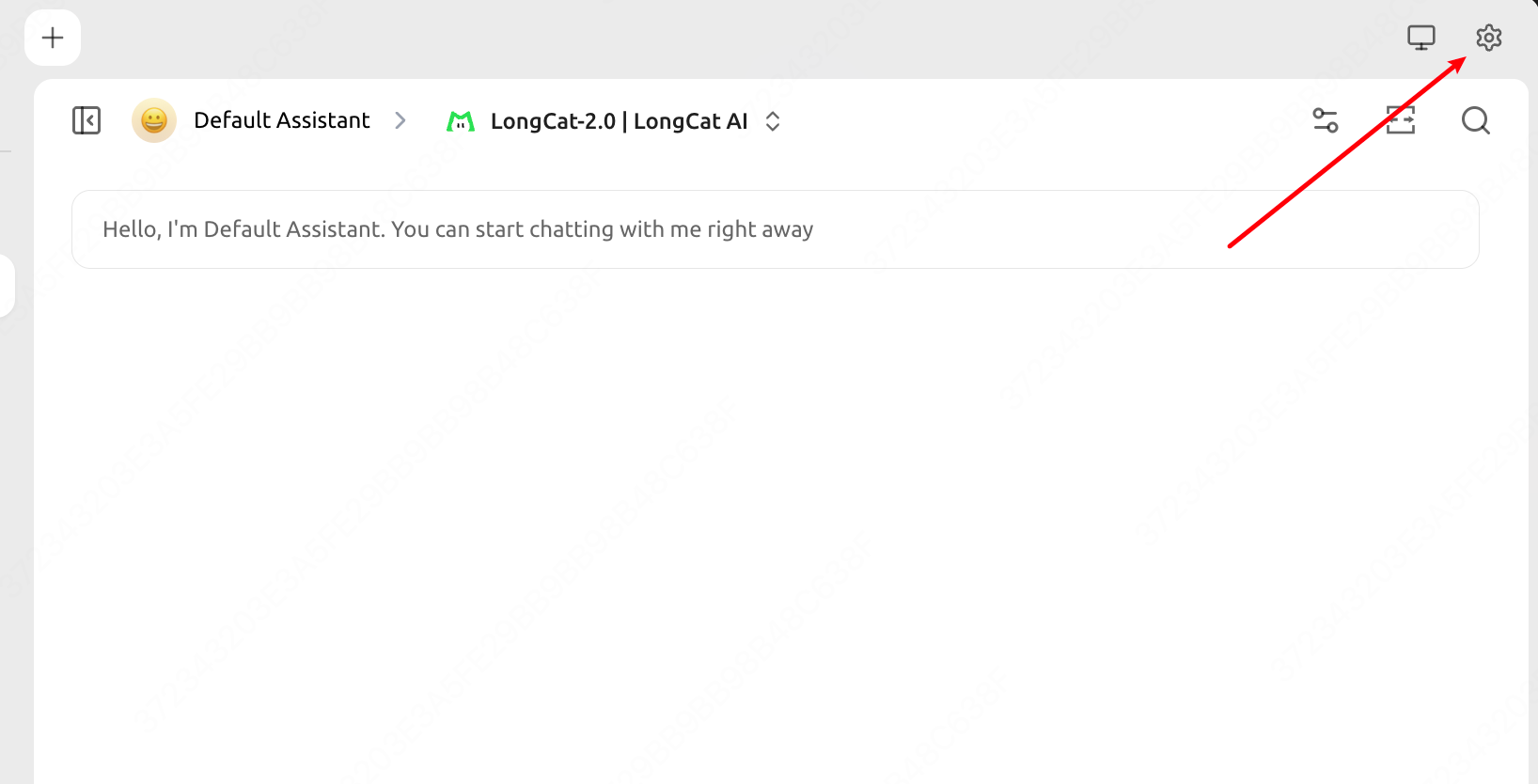
Click the settings icon in the upper right corner, go to the Model Services page, and search for LongCat in the search box.
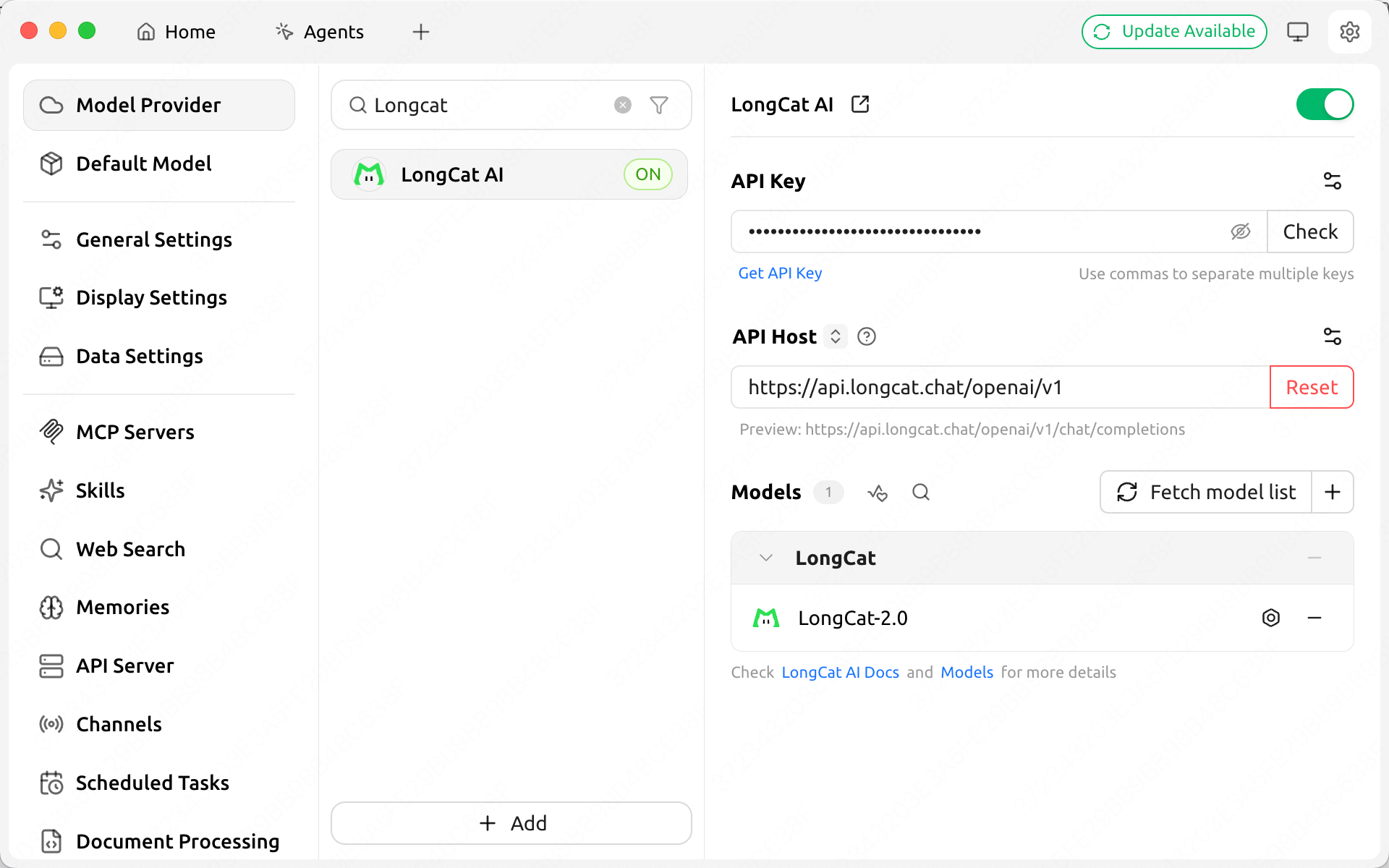
- Fill in the following:
- API Key: your LongCat API Key
- API Host:
https://api.longcat.chat/openai/v1
- Under this provider, click Add Model and enter the model ID
LongCat-2.5-Preview.
III. Using Cherry Studio
Select LongCat-2.5-Preview from the model list to start chatting.
Enable thinking mode (optional)
When using LongCat-2.5-Preview, the model supports controlling thinking via the thinking field in the request body. Open the assistant settings and add a custom parameter:
"thinking": {"type": "enabled"}Use {"type":"enabled"} to enable thinking or {"type":"disabled"} to disable it (enabled by default). You can also set temperature, context, and other parameters as needed.