Integrate with ZCode
ZCode is Zhipu's lightweight desktop AI coding tool that manages multiple AI coding capabilities through a visual interface. ZCode supports connecting to any OpenAI-compatible custom model service, so you can configure it to use LongCat models.
I. Prerequisites
1. Install ZCode
Download the installer for your OS from the ZCode website (https://zcode.z.ai). Supported on Windows and macOS.
- macOS: open the downloaded DMG file, drag ZCode into the "Applications" folder, then launch it from Launchpad.
- Windows: run the downloaded installer and follow the prompts.
2. Get a LongCat API Key
Obtain your API Key from the LongCat Platform, and confirm on the Usage page that your account has sufficient token quota.
The LongCat API platform currently provides the following models:
| Model Name | API Format | Description |
|---|---|---|
| LongCat-2.0 | OpenAI/Anthropic | High-performance agentic model |
II. Configure the LongCat API
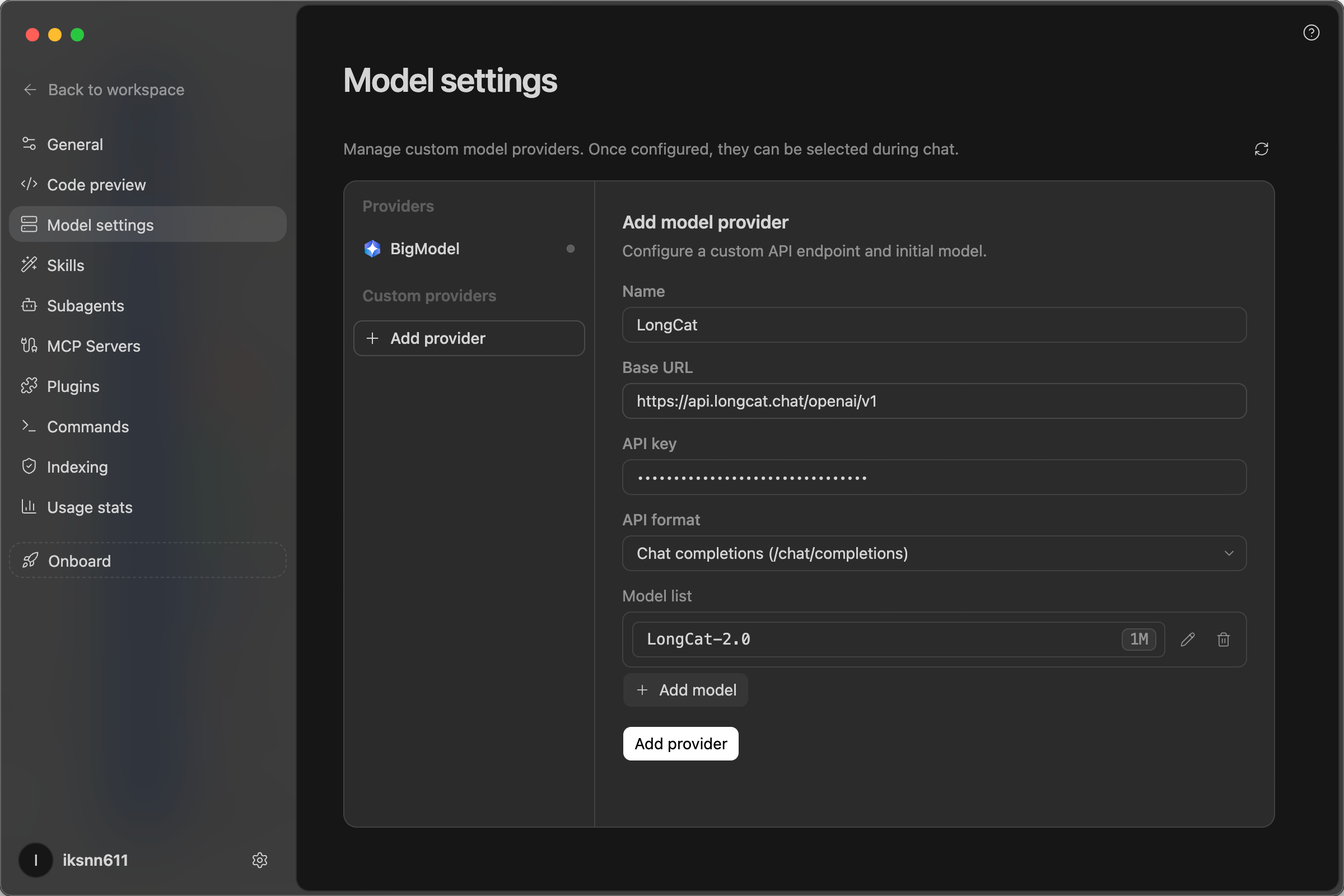
- Open ZCode and click "Setting" > "Model settings" to open the model management page.
- Click "Add provider" and fill in the following:
- Name:
LongCat-2.0 - Base URL:
https://api.longcat.chat/openai/v1 - API Key:
your LongCat API Key - API format:
Chat completions(/chat/completions)
- Name:
- Add a model with the Model ID
LongCat-2.0. - Save, then
LongCat-2.0will appear in the model selection list.
III. Using ZCode
- Open your local project folder in ZCode.
- Select
LongCat-2.0in the model selector. - Enter your request in the chat box (for example, "Build me a React login page"). ZCode will generate code and try to edit your files.
If the conversation UI opens normally and you receive a reply, you're ready to use ZCode + LongCat.